GGyess
Management and leadership

Spend the meeting on the decisions that need you.

When half the meeting goes to finding out what happened, little time remains to act. Review dates, priorities and statuses in the GGyess table. Bring the decisions that actually need you to the conversation.

Inside GGyessEnlarge screenshot
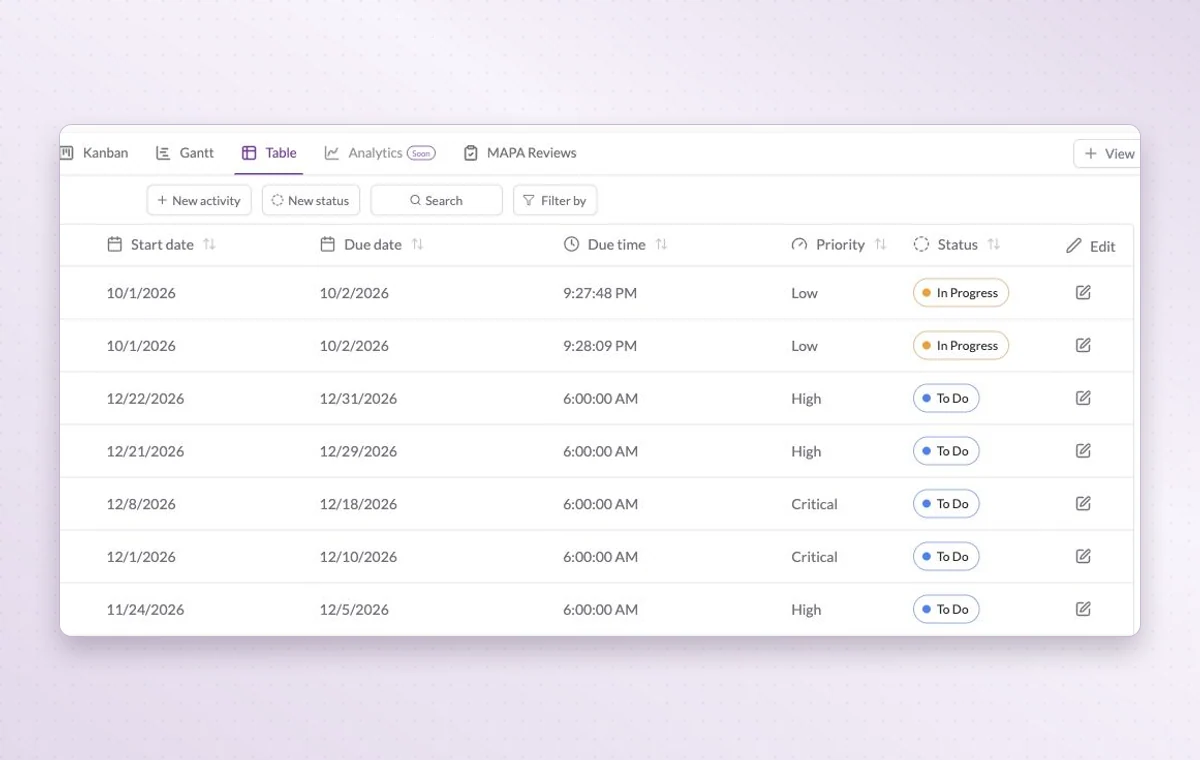
Work Hub table showing dates, priorities and statuses in columns.
Read deadlines, priorities and statuses in the same row before deciding what to bring to the meeting.
Step by step

Prepare a weekly review that leaves time for decisions

  1. Set the agenda around outcomes and open decisions.

  2. Review project dates, owners and work waiting on a decision.

  3. Write each agreement into a task or project document with a follow-up date.

Inside GGyessEnlarge screenshot
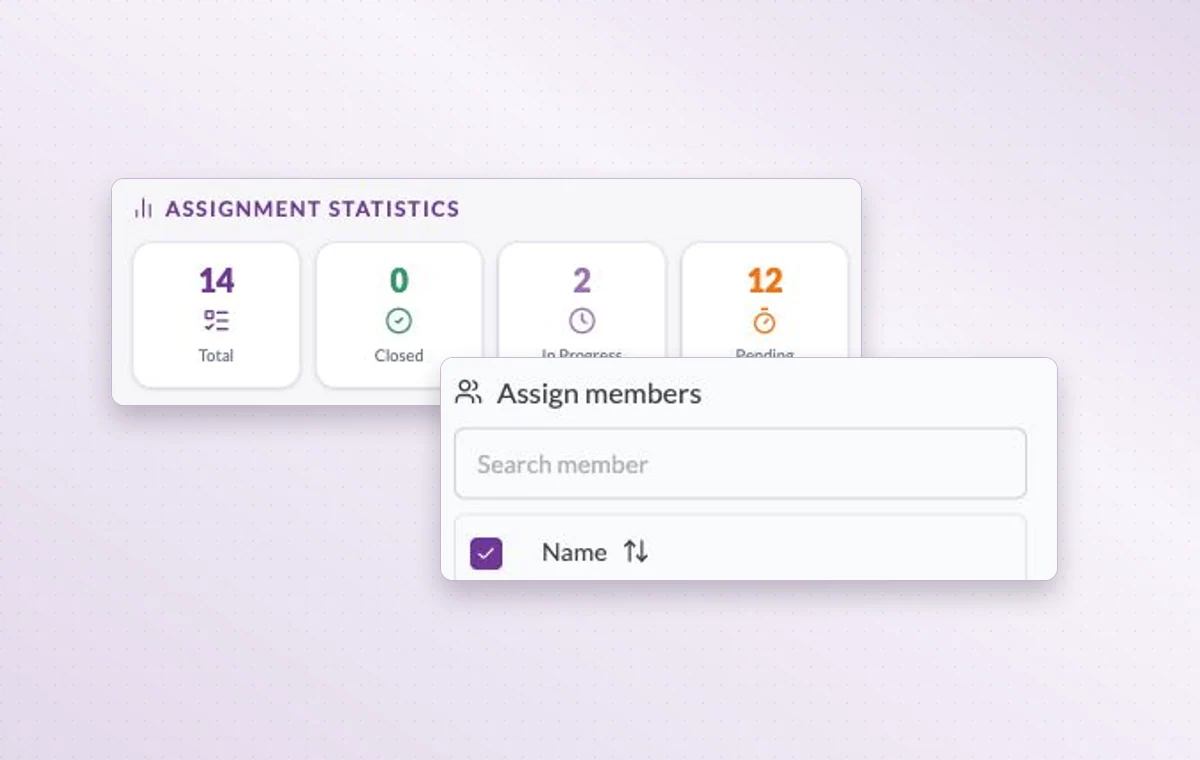
Member assignment statistics and the member search on a task.
Management and leadership

In day-to-day work

Someone to turn to

Assign the people responsible for the task. If the plan changes, the team knows who to speak to and which assignments to revisit.

Check before you promise a date

Gantt lays out activities along a timeline. Look for overlapping dates before you promise the team another delivery.

Keep the figures close

Keep expected amounts, assumptions and totals in a spreadsheet. When a figure comes up in a review, the team can return to the same numbers.

Before you start

A few good questions.

How can a manager prepare for a status review?

Ask everyone to update their tasks first. Use the meeting to discuss a date at risk, a decision due or a colleague who needs help.

How is key-result progress updated?

The owner records the latest measurement during the review. Progress on the underlying tasks gives context for that measurement.

GGyess WorkSuite

End the meeting knowing what was decided and who takes it forward.

Start on the free plan. Invite your team when you’re ready.

GGyess screenshot