GGyess
Work organization

Give each project a place of its own.

When several clients share one to-do list, even a due date can lose its meaning. Give each project its own space in GGyess and keep your personal follow-ups in My Agenda.

Inside GGyessEnlarge screenshot
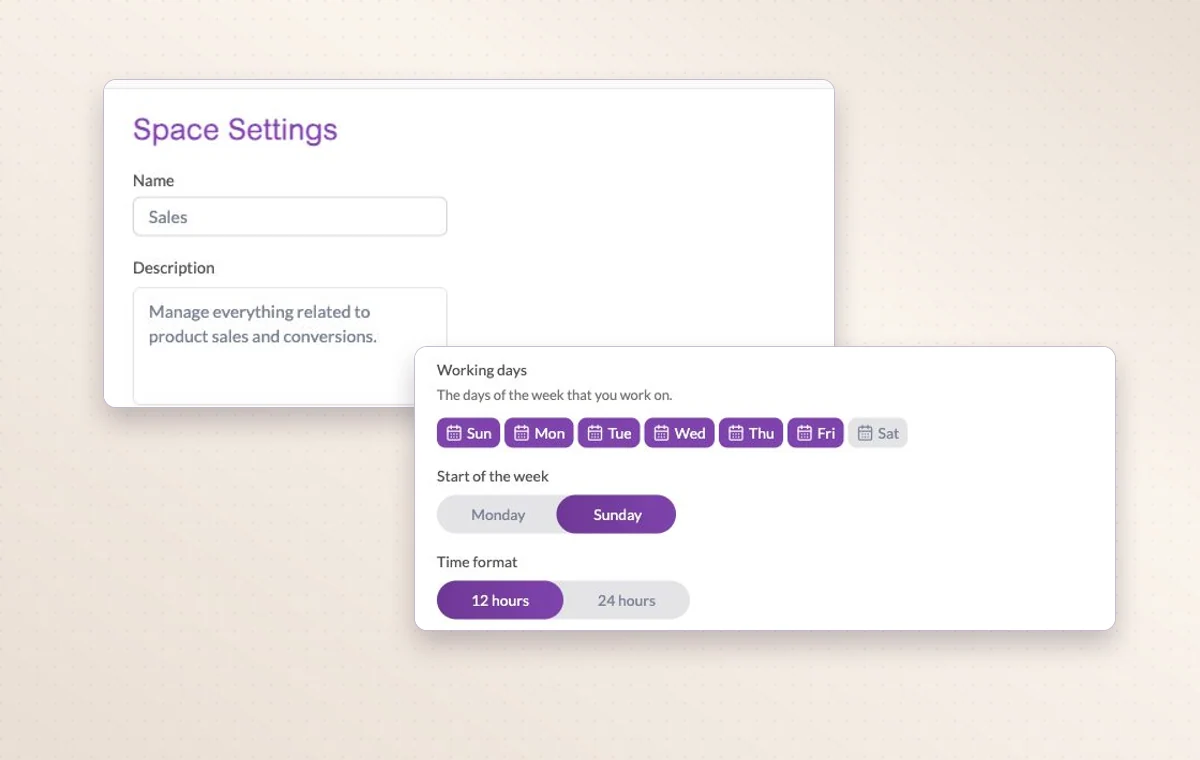
Project settings for a space, including working days and time format.
Space settings let you name the project, describe what it’s for and choose its working days.
Step by step

Give every piece of work a home

  1. Choose the workspace you want to organize.

  2. Create a project space for one shared outcome.

  3. Keep individual to-dos in My Agenda.

Inside GGyessEnlarge screenshot
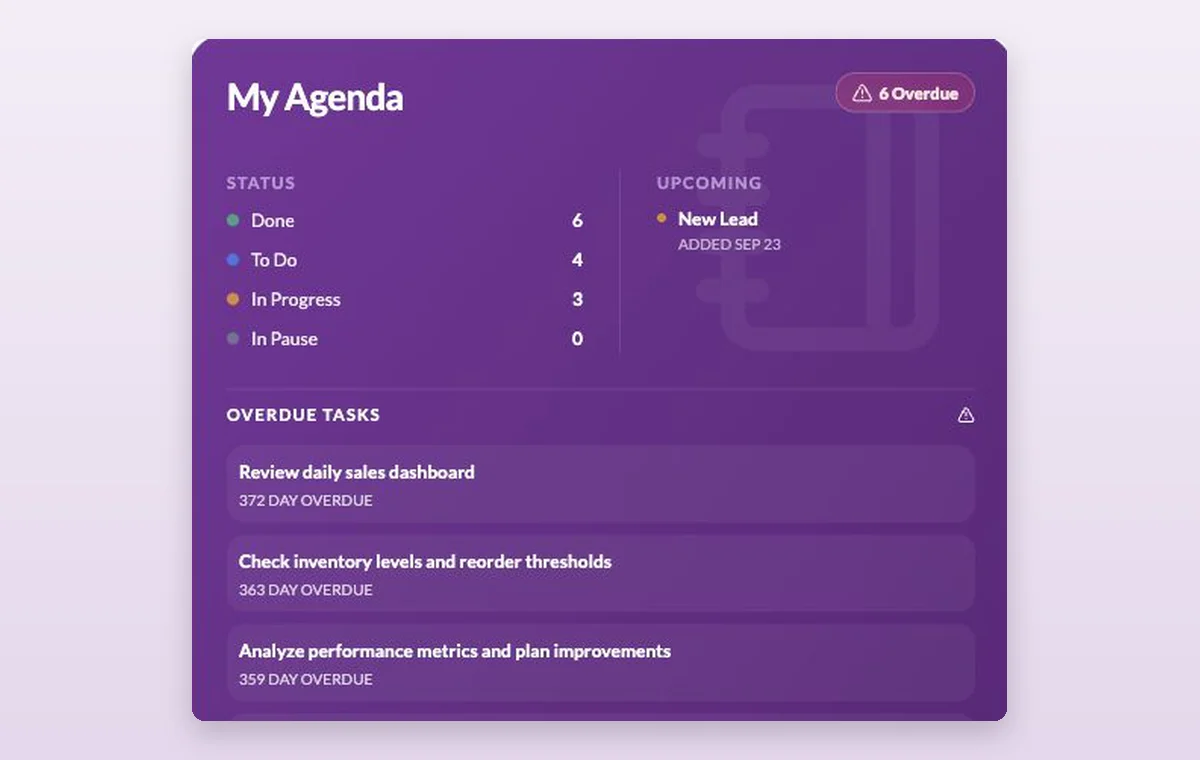
My Agenda shows work by status, upcoming activities and overdue tasks.
Work organization

In day-to-day work

A home for each project

Name the project, describe the outcome and set its working days. The team can add its tasks there as the work takes shape.

The people on this project

Choose the workspace members who will work on this project. You can look at the project membership when you need to know who’s involved.

Keep track of your own day

Use My Agenda for personal activities. Tasks the team needs to follow can stay in the shared project.

Explore these features

Before you start

A few good questions.

How is a workspace different from a project?

Your workspace is where you manage members and the plan. Within it, each project brings together the people and tasks for one delivery.

Where can I see how much of our plan we’ve used?

Open the plan and usage details in the active workspace to see its allowances and current use.

GGyess WorkSuite

Know where to pick up each project.

Start on the free plan. Invite your team when you’re ready.

GGyess screenshot