GGyess
AI project planning

The deliverable is clear. Where do you start?

Turning an agreed outcome into a plan often falls to one person. Describe the deliverable and deadline in the project assistant, then review the suggested tasks before adding them to the project.

AI tools vary by plan. Compare plans
Inside GGyessEnlarge screenshot
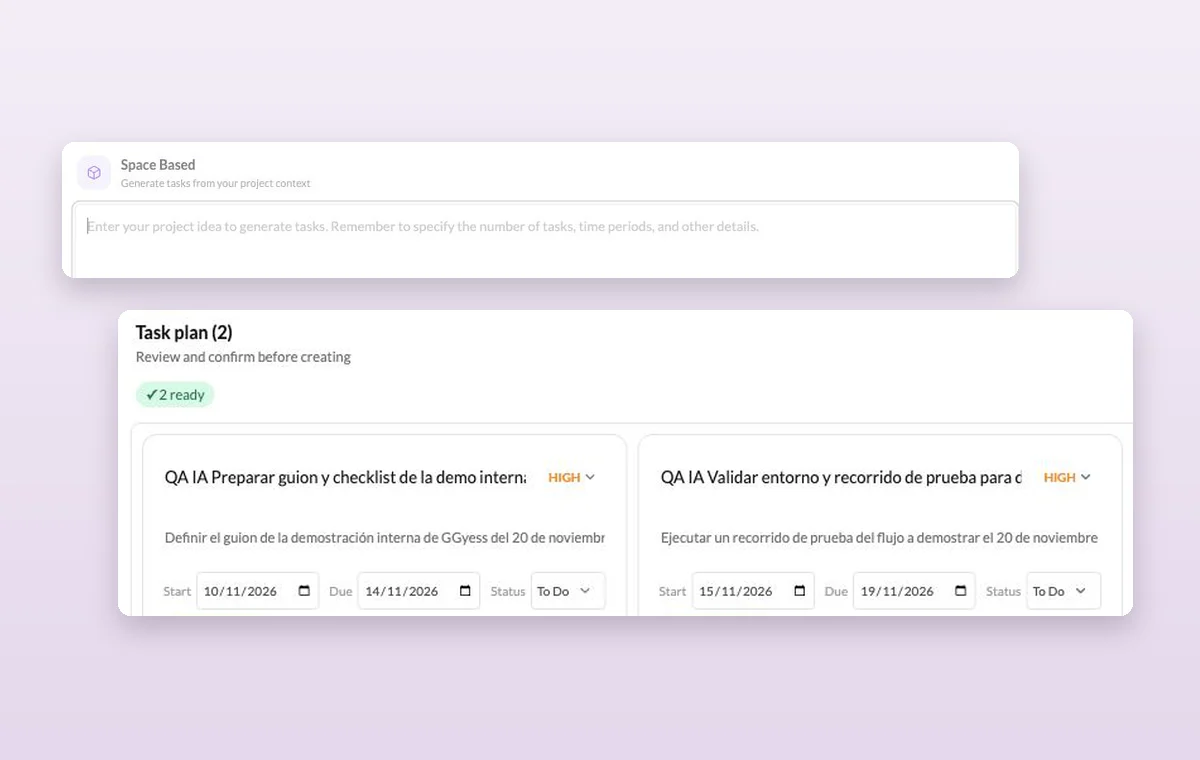
The AI assistant’s project prompt and the task plan you can review before creating the tasks.
The project-based generation form lets you describe the outcome before asking for a proposed task plan.
Step by step

Break a project brief into a plan you can inspect

  1. Give the project space a useful description.

  2. Describe the outcome, time window and number of activities.

  3. Review the proposed tasks before confirming their creation.

Inside GGyessEnlarge screenshot
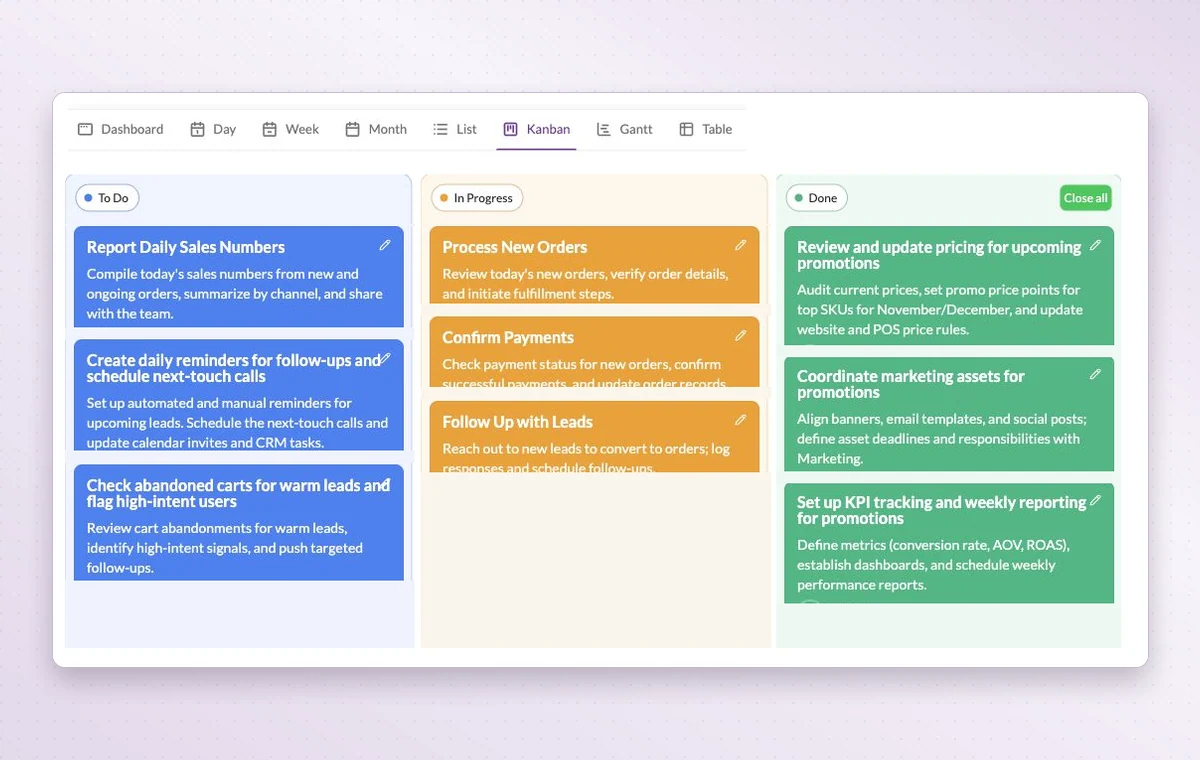
GGyess Kanban board with tasks grouped into To Do, In Progress and Done.
AI project planning

In day-to-day work

A home for each project

Name the project, describe the outcome and set its working days. The team can add its tasks there as the work takes shape.

A first draft of the task list

Describe the work to the AI assistant in your project. Review its proposed tasks and adjust the details before creating them. Available on paid plans.

A start and a deadline

Set both dates on the task. The person doing the work can plan a start and the person waiting for it knows when it’s due.

Before you start

A few good questions.

Who sets the final scope?

You do. The assistant proposes tasks for the selected project. Review them against your brief and confirm what to create.

Can I start with existing spreadsheet rows?

The assistant has an Excel/CSV import flow with a preview before creation. Check the proposed mapping, owners and dates before confirming.

GGyess WorkSuite

Bring a first plan to the meeting.

You can create an account for free. The AI tools available to you depend on your plan.

GGyess screenshot