GGyess / Features Turn “someone should do this” into a name. Two people can each assume the other has it covered. Choose who’s responsible on the task and check what they already have on their plate before committing their time.
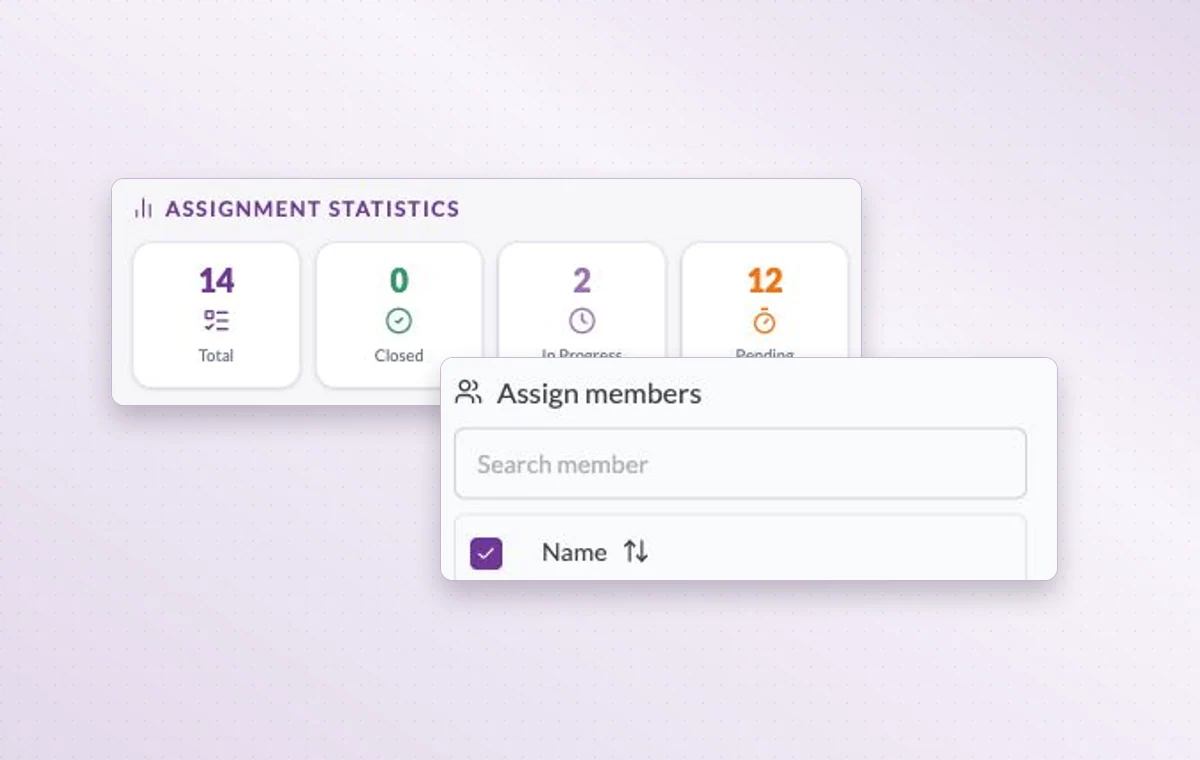
Member search lets you choose assignees. Assignment statistics help you review the work someone already has.
Make it clear who takes the next step 01 Choose an activity with a concrete outcome.
02 Select the team member or members who will handle it.
03 Review the assignment and date together when priorities change.
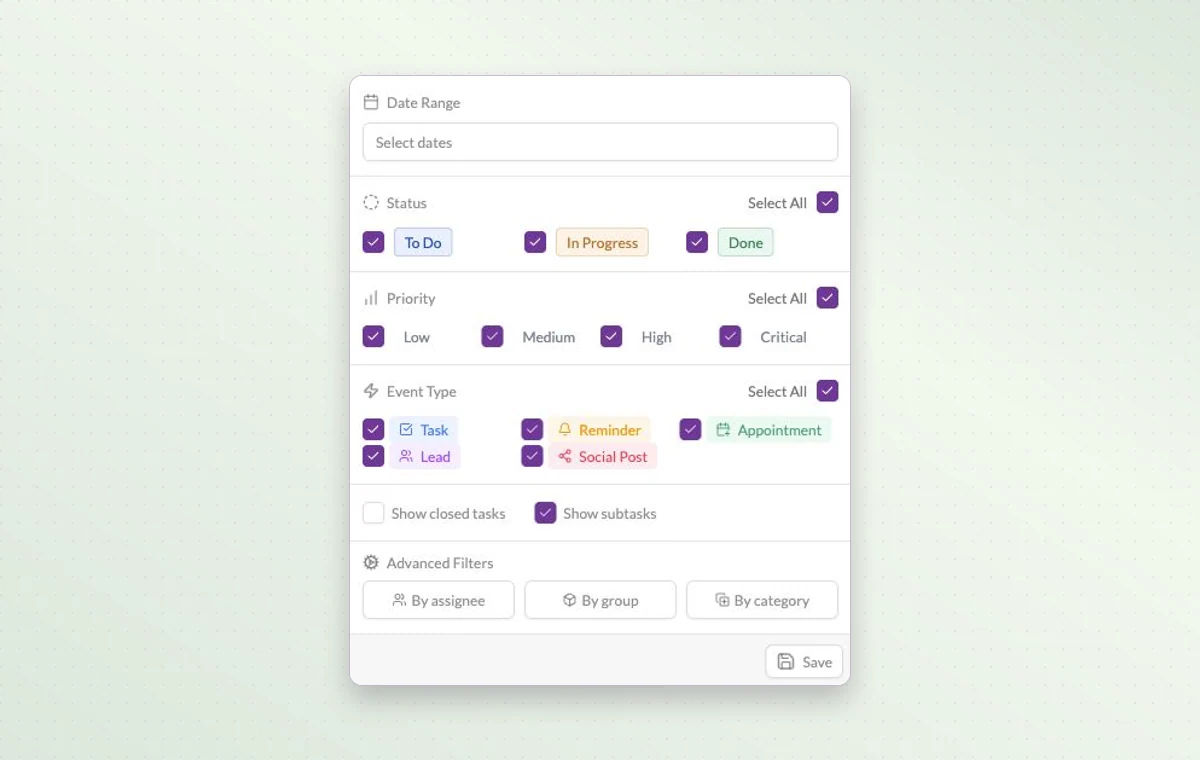
Work Hub filters for date, status, priority, activity type, assignee and group.
In day-to-day work Someone to turn to Assign the people responsible for the task. If the plan changes, the team knows who to speak to and which assignments to revisit.
Answer a specific question Need to know what’s still open this week? Narrow the view by date and status, then add a priority or assignee if you need a shorter list.
The people on this project Choose the workspace members who will work on this project. You can look at the project membership when you need to know who’s involved.
A few good questions. How do I check what one person has on their plate? Open the project filters and choose the assignee. Review their active items, priorities and dates before assigning more work.
Does every workspace member need every project? Workspace membership and project membership are separate. Select the people who will contribute to each project and review their permissions.
Give every handoff a person to turn to. Start on the free plan. Invite your team when you’re ready.
Cookie settings × Strictly necessary Always on
The site remembers your choice for 180 days in this browser. You can browse every page with optional tools turned off.
Your browser is sending a Global Privacy Control signal. Optional tools stay off.
We remember your advertising opt-out in this browser for at least 12 months. You can change it here if you wish.
I confirm my new advertising choice Français (Québec) Português (Brasil) Privacy Cookie policy
Your browser could not save this choice. Optional tools stay off.
We could not confirm this choice. Optional tools are off. You can try again or continue browsing.
Reject all Save preferences