GGyess / Features Let the work carry on when you step away. If one person knows what the client asked for, everyone else has to wait. Give the people doing the work access to the project and leave the decisions alongside the deliverable.
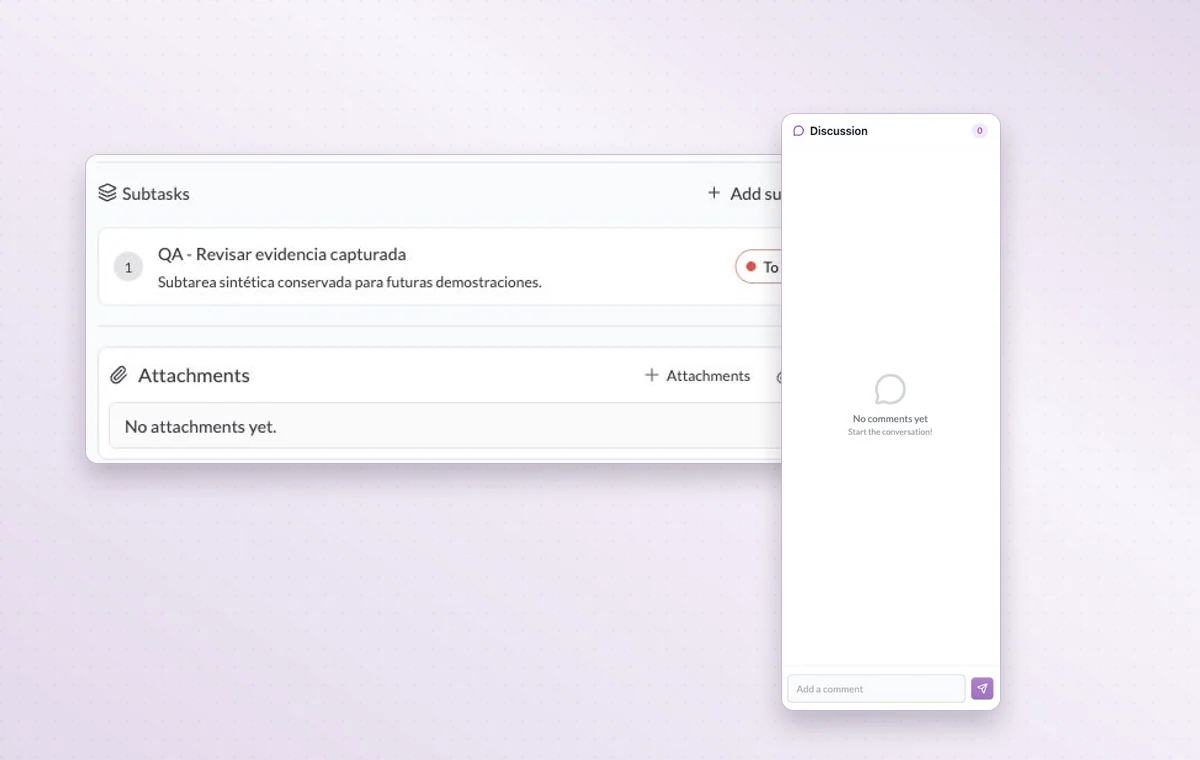
Subtasks and attachments keep the work together. On a document, the discussion panel gives reviewers a place to leave their comments.
Bring people and decisions into the project 01 Add the people who will contribute to the workspace.
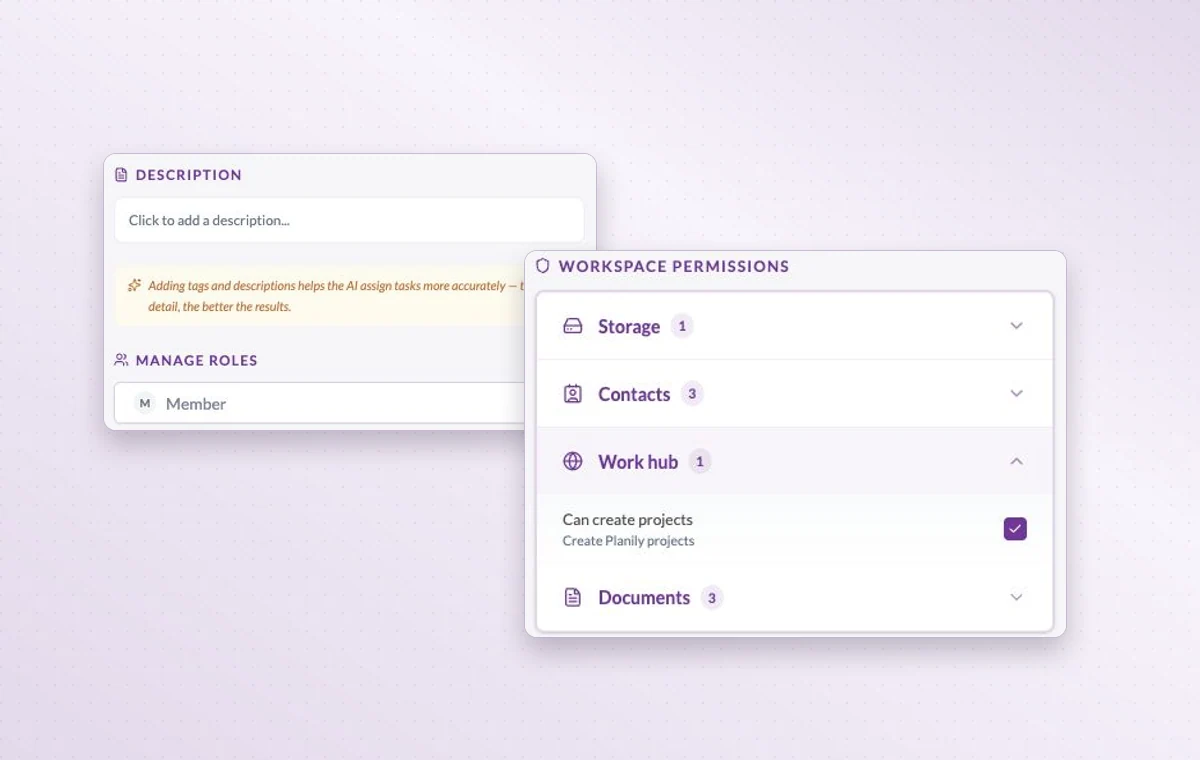
02 Assign their project access and responsibilities.
03 Keep the brief in a document and feedback on each task.
Member role settings and the workspace permissions for storage, contacts, Work Hub and documents.
In day-to-day work The people on this project Choose the workspace members who will work on this project. You can look at the project membership when you need to know who’s involved.
The right access for the job When someone joins, review their access to the workspace and project, including their permissions for tasks, documents and files.
A decision you can find again Put a change request or decision in a task comment. The next person to open the task can read what was agreed before starting the revision.
A few good questions. Where should a review decision go? Put project-wide instructions in a document and feedback about one deliverable in its task discussion.
What should I prepare before inviting someone? Identify the workspace, project and access level they need. A first task with a clear owner gives them a useful starting point.
Give the next person enough context to carry on. Start on the free plan. Invite your team when you’re ready.
Cookie settings × Strictly necessary Always on
The site remembers your choice for 180 days in this browser. You can browse every page with optional tools turned off.
Your browser is sending a Global Privacy Control signal. Optional tools stay off.
We remember your advertising opt-out in this browser for at least 12 months. You can change it here if you wish.
I confirm my new advertising choice Français (Québec) Português (Brasil) Privacy Cookie policy
Your browser could not save this choice. Optional tools stay off.
We could not confirm this choice. Optional tools are off. You can try again or continue browsing.
Reject all Save preferences