GGyess
Kanban boards

See where work is piling up.

A to-do list can be up to date and still hide a queue. Group tasks by stage on a Kanban board so your team can see which handoff needs attention first.

Inside GGyessEnlarge screenshot
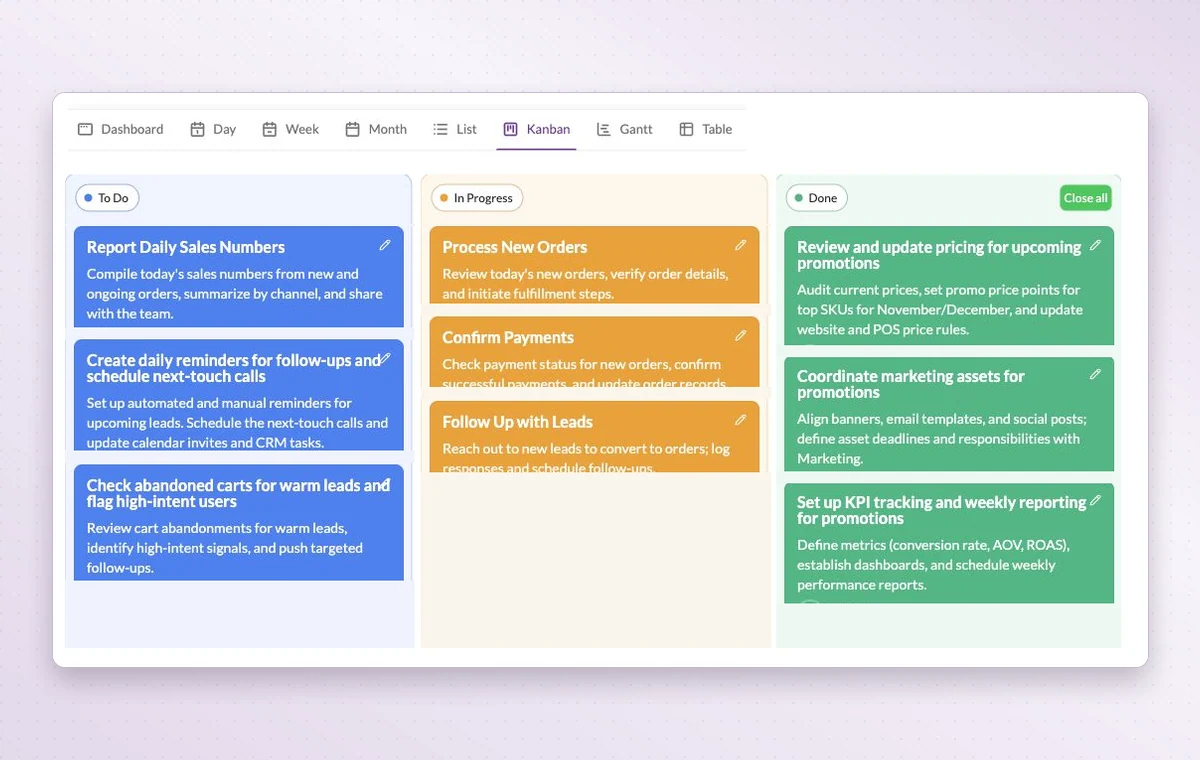
GGyess Kanban board with tasks grouped into To Do, In Progress and Done.
Each card sits in a status column. Compare the work waiting to start, the work in progress and what’s already done.
Step by step

See what is waiting for a handoff

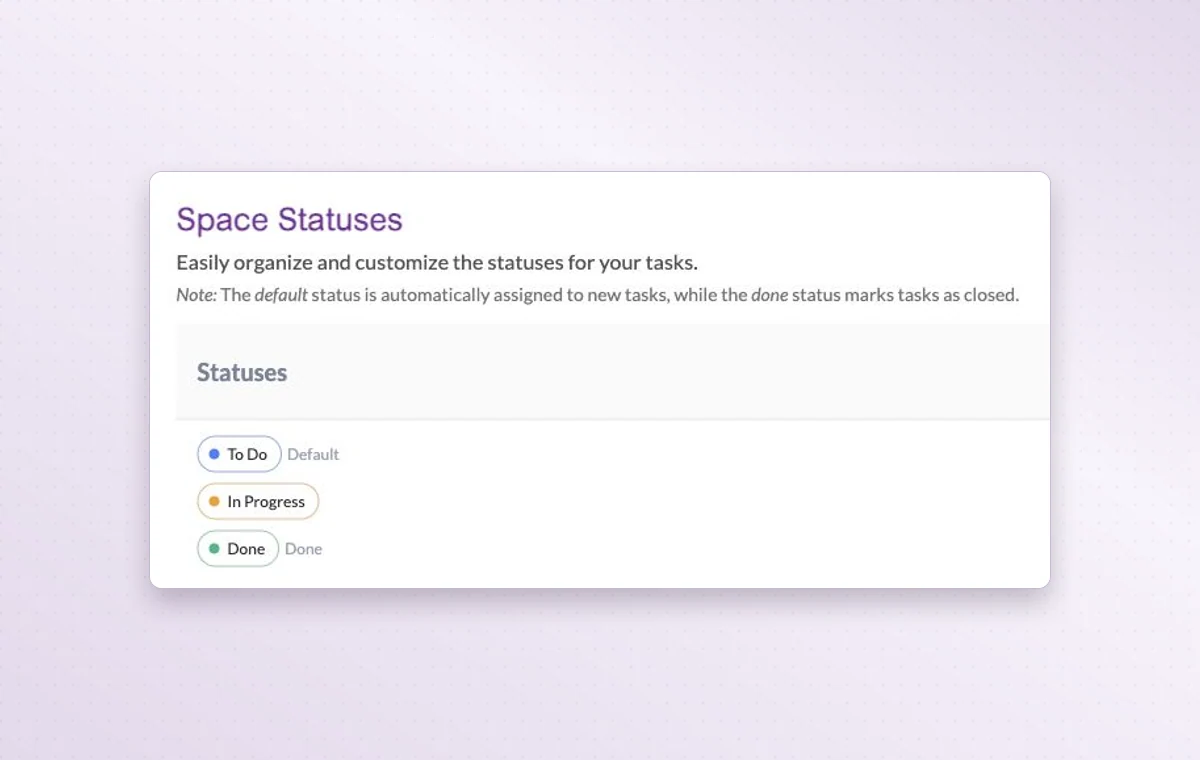
  1. Choose the stages your team actually uses.

  2. Open Kanban and check the work in each column.

  3. Update the task status when the next person takes over.

Inside GGyessEnlarge screenshot
Space status settings show the defaults To Do, In Progress and Done.
Kanban boards

In day-to-day work

See where work is waiting

Each Kanban column groups work at the same stage. If several tasks are waiting for review, you can see them together.

The stages your team uses

Use project statuses that match the handoff. For example, “In review” tells the team a draft is ready for someone to read.

Someone to turn to

Assign the people responsible for the task. If the plan changes, the team knows who to speak to and which assignments to revisit.

Before you start

A few good questions.

Can a project have its own stages?

Yes. Configure the project statuses and use them to organize the board around your team’s handoffs.

Does a parent task’s status replace a subtask’s status?

A subtask has its own status. Check both levels when deciding whether a larger deliverable is complete.

GGyess WorkSuite

Spend the meeting on the work that needs to move.

Start on the free plan. Invite your team when you’re ready.

GGyess screenshot