GGyess
Agile project management

The sprint is moving. Which task isn’t?

A card has sat in the same column for days. Does its owner need a hand? Bring sprint tasks onto a GGyess board and start the next team conversation with the work that’s standing still.

Inside GGyessEnlarge screenshot
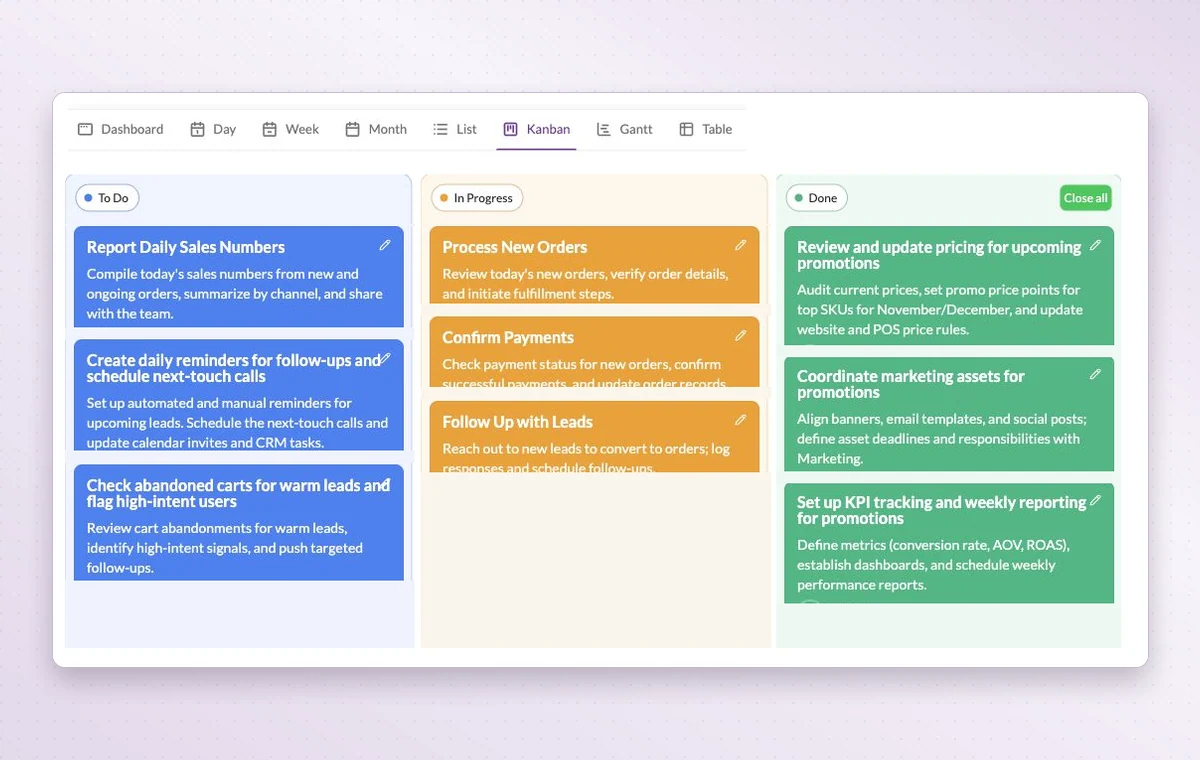
GGyess Kanban board with tasks grouped into To Do, In Progress and Done.
Kanban groups cards by status so the team can review the work still in progress.
Step by step

Choose a sprint’s worth of work

  1. Order the backlog and agree on a sprint goal.

  2. Assign the selected tasks and use project statuses for the sprint board.

  3. Close the review with a documented decision and one improvement task.

Inside GGyessEnlarge screenshot
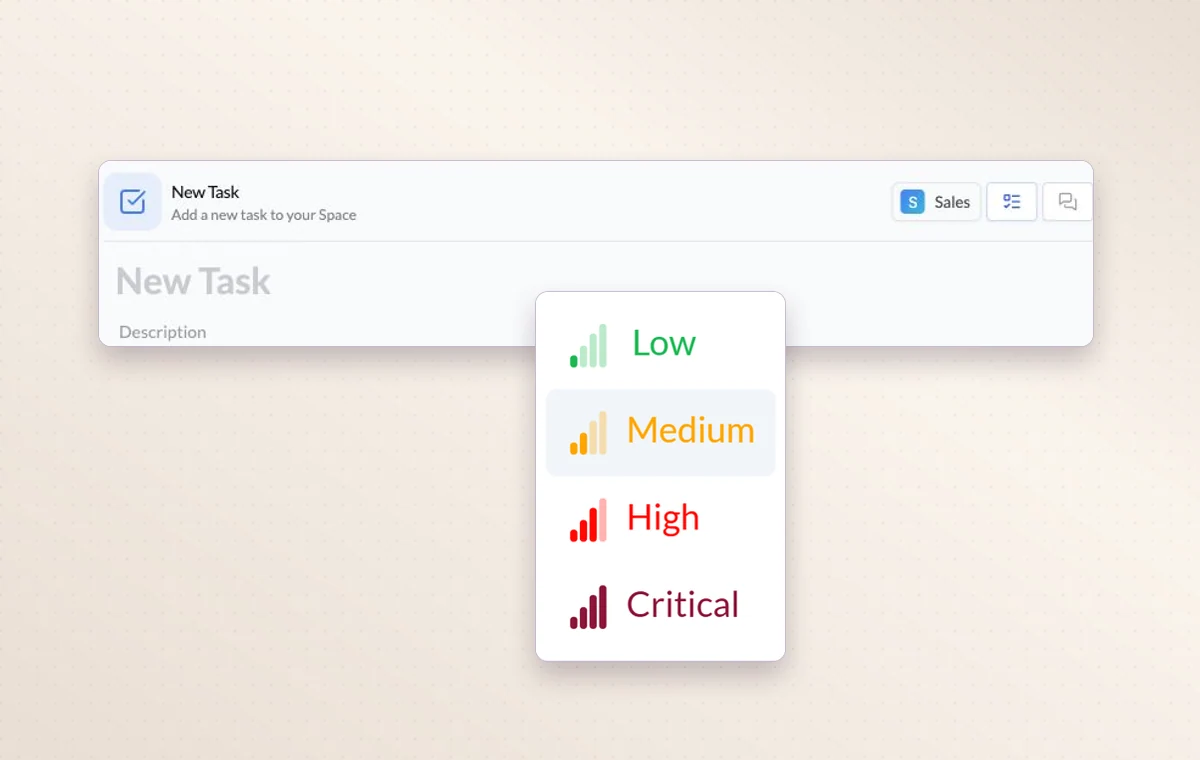
A task with four available priority levels, from low to critical.
Agile project management

In day-to-day work

See where work is waiting

Each Kanban column groups work at the same stage. If several tasks are waiting for review, you can see them together.

Give urgent work a place

Use the four levels from Low to Critical. Filter by priority when the team needs to decide which deadline to tackle first.

A decision you can find again

Put a change request or decision in a task comment. The next person to open the task can read what was agreed before starting the revision.

Before you start

A few good questions.

Can we choose our own sprint stages?

Yes. Define statuses for the project and use those stages on the Kanban board as work moves through your process.

Can a project have its own stages?

Yes. Configure the project statuses and use them to organize the board around your team’s handoffs.

GGyess WorkSuite

Spend the next stand-up helping the person who needs it.

Start on the free plan. Invite your team when you’re ready.

GGyess screenshot