GGyess
Visual brainstorming

Draw the part that’s hard to explain.

Two people can describe the same process while picturing different paths. Lay the steps out in a GGyess diagram and connect the shapes to agree on how one stage leads into the next.

Inside GGyessEnlarge screenshot
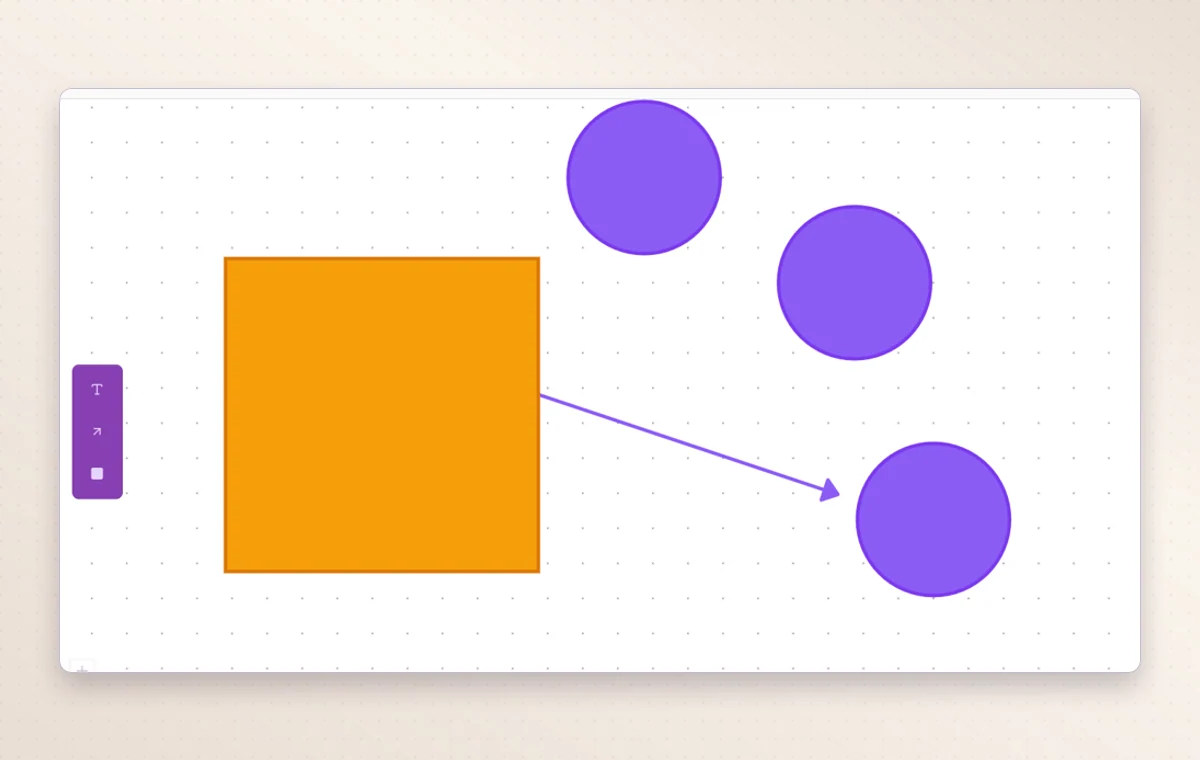
A GGyess diagram connects colored shapes with a directional arrow.
An arrow between two shapes shows their relationship. Add more to map out steps, choices or decisions.
Step by step

Sketch the idea before assigning the work

  1. Create a diagram for the question the team is exploring.

  2. Arrange shapes and labels to show the alternatives or sequence.

  3. Write down the decision and create a task for its first action.

Inside GGyessEnlarge screenshot
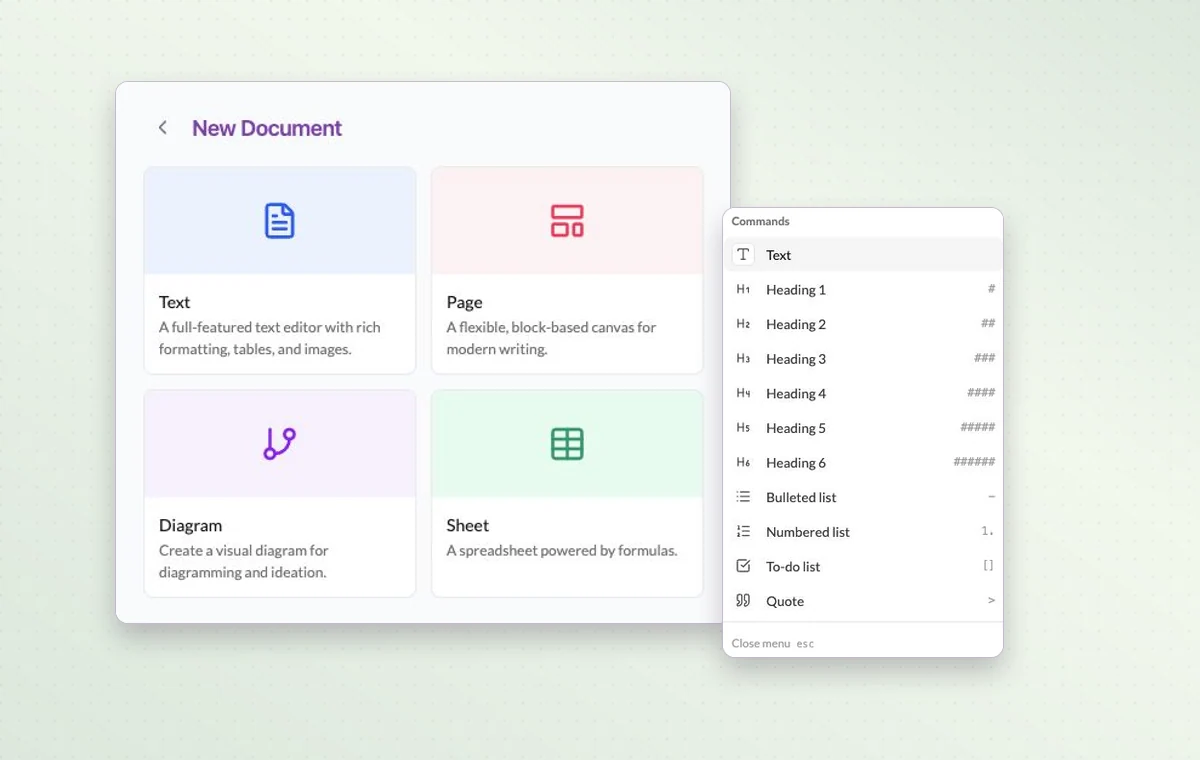
The four GGyess document types beside the block menu for a page.
Visual brainstorming

In day-to-day work

Sketch the sequence

Draw the steps as shapes in a diagram and label them. Walk through the sequence with the team before you assign the work.

The agreement in writing

Draft the wording in a text document. Use a page with blocks for a brief that brings instructions, decisions and deliverables together.

Break down a larger task

Put quick checks on the main task. If a piece of work needs its own status, make it a subtask so people can follow its progress.

Before you start

A few good questions.

When is a diagram more useful than a document?

Use a diagram when order, branching or relationships matter. Use a document when the decision needs a written explanation.

Can I do calculations in a document?

Choose a Sheet document for cells and formulas such as SUM. Use Text or Page for narrative material.

GGyess WorkSuite

Leave the conversation with the same picture.

Start on the free plan. Invite your team when you’re ready.

GGyess screenshot